
Legal stuff in Pakistan has a way of sounding way more complicated than it actually is mostly because that confusion is good business for the “consultants” charging you thousands of rupees to click a few buttons on your behalf.
Here’s the truth: you can register your own company with SECP, from your laptop, without paying anyone a professional fee. It takes about a week if your paperwork is clean. Here’s exactly how.
Step 1: Pick your company type
This decision shapes everything after it, so get it right first.
- Just you? Go with an SMC-Private Limited (Single Member Company). One person, full liability protection, no need to rope in a second name.
- You and a co-founder (or a few)? Go Private Limited — the standard for startups. Your personal assets are legally separate from the business, so if the business goes under, your car and your savings don’t.
- Testing something small and low-risk? A sole proprietorship is faster to set up, but you are the business, legally. No separation, no protection. Fine for a side hustle, risky once real money’s involved.
Most people reading this want an SMC or a Private Limited. Pick one, move on.
| Business Type | Minimum Members | Legal Requirement | Common Use Case |
|---|---|---|---|
| Private Limited Company | 2 Directors | Cannot invite the public to subscribe shares | Startups, SMEs, co-founder teams |
| Single Member Company (SMC) | 1 Director | Only one member allowed; requires a nominee | Freelancers, solo founders |
| Public Limited Company | 3 Directors | Can raise funds from the public via shares | Large-scale businesses and corporations |
Step 2: Set up your SECP eServices account
Go to eservices.secp.gov.pk and create your account with your CNIC, email, and phone number. Every director and shareholder needs their own separate account — no sharing logins.
Quick tech note: the portal plays nicest with Chrome, Firefox, or Edge. Don’t fight it on some random browser.
Step 3: Reserve your company name
Search your proposed name on the portal before you get attached to it. SECP rejects names that are identical or too similar to anything already registered — so walk in with 2 to 3 backups.
Once approved, your name is locked in for 60 days. This costs around PKR 200. Small price for not losing the name to someone else while you sort your documents.
Step 4: Draft your MOA and AOA
Two documents, one job each:
- MOA (Memorandum of Association) — what your company does.
- AOA (Articles of Association) — how it’s run internally.
SECP gives you standard templates, and honestly, for most simple startups, they’re enough. Don’t overthink this unless your ownership structure or business model is unusual in which case, get it properly drafted, because a shaky MOA/AOA is the single biggest reason applications bounce back.
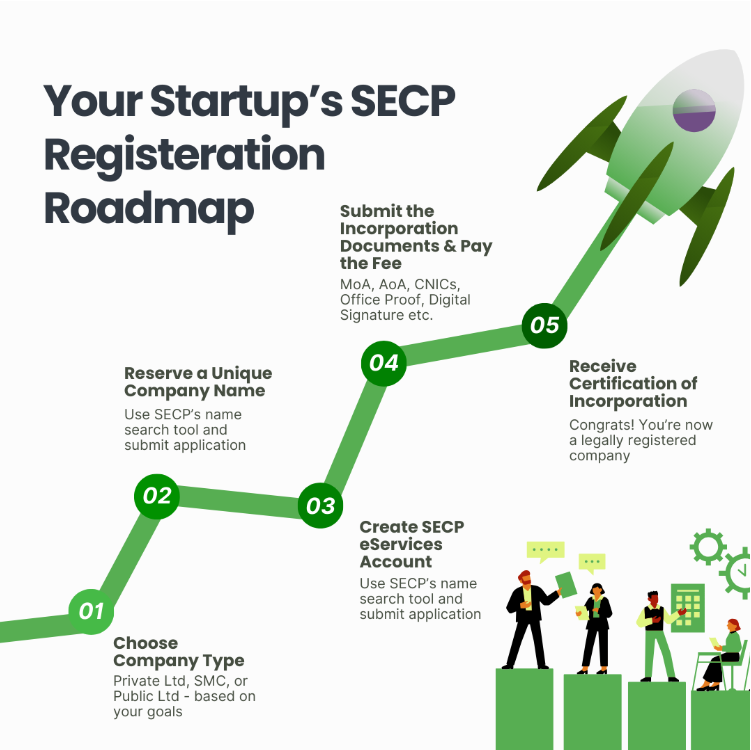
Step 5: Submit your incorporation application
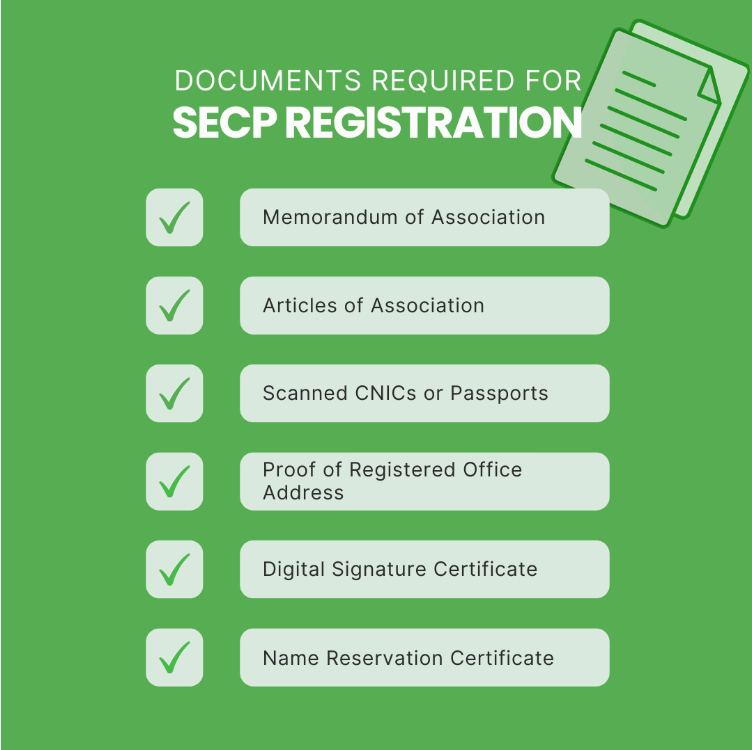
Gather this before you sit down to do it, so you’re not scrambling mid-form:
- CNICs of all directors and shareholders
- Your MOA and AOA
- Registered office address
- Authorized share capital amount
Upload it all, have each subscriber digitally sign through their own account, then pay the incorporation fee. This is tied to your authorized capital — you can actually calculate it in advance using SECP’s Incorporation Fee Calculator on the portal, so there’s no guessing. For most small startups it lands around PKR 1,000–2,000. Tech and IT companies get a minimum authorized capital threshold of PKR 100,000, keeping total fees close to PKR 1,950.
Keep your payment receipt safe either way — online or offline payment — you’ll want it on hand until incorporation is fully confirmed.
Step 6: Wait it out
If nothing’s wrong with your documents, SECP usually confirms in about 7 working days, sometimes faster. If something’s off, you’ll get an email objection — fix it, resubmit through the same portal, no need to start over.
Once approved, you get your Certificate of Incorporation and your CUIN (Company Unique Identification Number) by email. Download it, keep it somewhere safe — this is your business’s birth certificate.
Step 7: Now make it operational
Being registered and being operational aren’t the same thing. Right after incorporation:
- Get your NTN from FBR via the IRIS portal — you can’t invoice, file taxes, or open a bank account without it.
- Open your corporate bank account using your incorporation certificate and NTN.
- Register for sales tax if your business crosses the relevant turnover threshold.
Do these in order and you’ll go from idea to fully operational company in under two weeks.
The mistakes that cost people time
- Falling in love with a name before checking if it’s taken
- Rushing the MOA/AOA and getting it kicked back
- Blurry scans or mismatched names across documents — SECP will bounce these
- Forgetting the NTN step and wondering why the bank won’t open your account
None of this requires a “professional.” It requires patience and reading the form twice before you hit submit.