Video content is the most important nowadays. Short videos and reels are taking over the market. Thankfully, creating a video is easier than ever due to the many software and tools available. With the right video tools and software, you can turn everyday situations into eye-catching stories with just a few swipes.
If you’re looking to craft quality video content but aren’t an expert or professional, here are the best tools on the market. We have divided the tools into different categories for your ease.
Video making/design for PC/Laptop
If you prefer using your PC or Laptop to create and edit your videos, check out the top tools to make your video final cut shine.
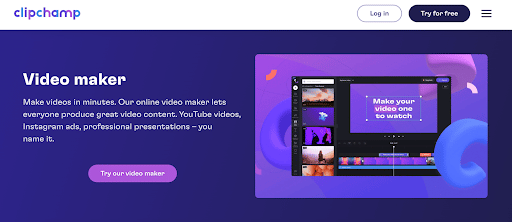
Clipchamp Create
What is it: Clipchamp allows you to create an infinite number of video projects, use all basic editing tools, and export your films in 480p output resolution without a watermark. If you utilize stock footage, there will be a watermark. You may upgrade to a Premium account to access their stock collection and download your videos in higher resolutions.
Top Features:
| Facebook Video Ad Maker | Text to Speech generator |
| Video Editor | Video converter and Compressor |
| Customizable Video Templates | Brand kit |
| Stock Library | Green Screen video editor |
| Online webcam and screen Recorder | GIF maker |
Compatibility: Any desktop/laptop device (including Chromebooks).
Not available for touch screen devices such as iPads or tablets.
Pricing: Free; Premium ($9 per month)
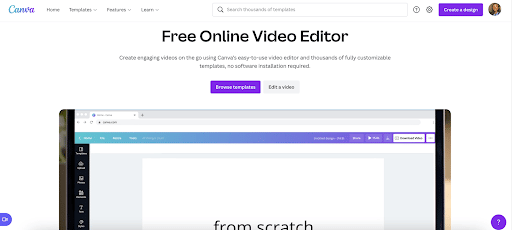
Canva
What is it: Canva is well-known for its design and photo-editing skills, but its video production and editing options are a more recent addition. Canva allows you to edit videos using a number of templates as well as access to a collection of photos, music,
Top Features:
| Editor with various tools | Formats according to different types (YouTube, social media, ads) |
| Text, transitions, and graphic elements. | Templates |
| Music, sound effects and audio tracks | Canva’s media library |
| Voice overs and Narrations. | Animations (animation variation – Pro version) |
Compatibility: Browser (online video editing), Desktop download (offline video editing), and Mobile (iOS and Android video editing).
Pricing: Free, Upgrade for Pro level (multiple options)
Videos and Reels – Mobile Phone
Many content makers use smartphone applications to edit videos. This is because “pro-looking” videos do not always need a pro-looking camera or expensive software. You can do the job using your phone.
Splice
What is it: Splice is a video editing tool that gives you the capabilities of a professional desktop editor. You can alter the transition style, cut your video, add text, and change the video speed, among other things.
Top Features:
| Intuitive user experience | Transitions |
| Advanced Pro level tools | Effects |
| Enormous music library | Social Media Sharing capabilities |
| Chroma Key (change colors) |
Compatibility: iOS and Android Devices. Available at App Store, and Google Play.
Pricing: Free
CapCut
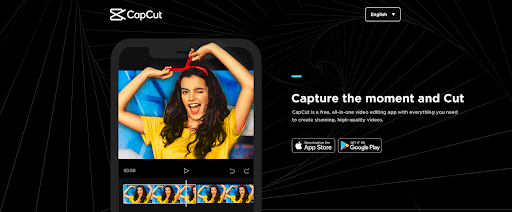
What is it: CapCut is a free video editor that is simple to use and doesn’t require any prior video editing knowledge. It offers a wide range of high-quality commercial-use content with copyright. CapCut provides simple video editing tools, free in-app fonts and effects, and advanced capabilities.
Top Features:
| Keyframe animation | Effects & Filters | |
| Chroma key | Sound Effects | |
| Stabilization | Trendy Music | |
| Auto captions in 93 languages | Subtitles & Transcription | |
| Data safety | Auto Subtitles | |
| Video Editor | ||
| Text to Speech | ||
Compatibility: iOS and Android
Pricing: Free
Video – Animations
It is no secret that people enjoy video content that’s catchy and different. One best way for that is animated videos. Contrary to popular belief, you don’t need expensive software to create animated clips. You can use the tools we have mentioned to create animated videos.
Powtoon
What is it: Powtoon allows you to produce animated movies and presentations. Powtoon’s drag-and-drop editor and a wide library of pre-built templates enable individuals and teams to build fully personalized presentations.
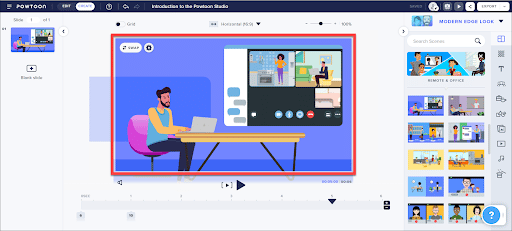
Features
| Animations & Transitions | Video Editing |
| Content Library | Templates |
| Customizable Branding | Audio File Management |
| Drag & Drop | Video Capture |
| Media Import | Voice-Over / Audio |
| Text Overlay |
Compatibility Powtoon is an internet video creator, so you can create an animated video without having to download any software.
Pricing Powtoon provides several different permission types:
Free Plan: 100MB of storage space and access to all free material.
Pro: $89/month ($228/year) includes 2GB of storage and access to Pro and free material.
Pro+: $197/month ($708/year) includes 10GB of storage and access to all content.
Doratoon
What is it: Doratoon allows you to make videos like presentations or movies. It does not require you to be a good animator to operate it. You may modify anything in your video, including the animated character, and customize its motions, voice, and other attributes.
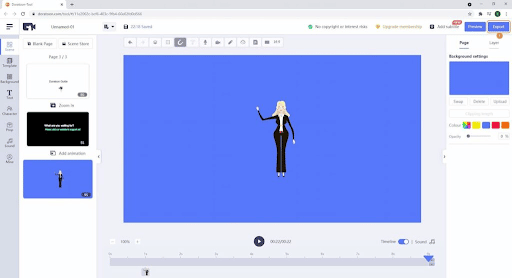
Top Features:
| Access to Free Stock Assets | One-click Publishing |
| AI Intelligent Drawing | Wide Variety of Footage Styles |
| Auto Lip Sync | Footage Combination and Locking |
| Motion Graphics and Advanced Animation Effects | Text-to-Speech Conversion |
Compatibility: Doratoon is browser compatible. It does not require any specific browser to function. It also has a mobile app that can be downloaded from the App Store.
Pricing: Doratoon offers a two-month free trial, but the pro edition has additional functions. The trial edition includes restricted storage capacity, templates, typefaces, and soundtracks.
It offers the following plans:
- Basic Plan: $0 per month, with unlimited exports, a Doratoon watermark, and free content.
- Pro Plan: For $19 per month, you receive 20 GB of storage, HD 1080p quality, and access to both pro and free content.
- Pro Plus Plan: $49 per month for 100 GB of storage, unlimited access to all material, and business usage rights.
Video – marketing
Once you’ve created an idea and content, you’ll need some tools to bring it to life. For good video marketing, there are certain tricks for filming, uploading, and editing. You can’t go wrong if you choose a video marketing tool from this list to make a great video.
Wave.video by Animatron
What is it: Wave.video is a drag-and-drop online social media video creator. Wave.video allows you to produce, edit, and distribute videos via email, social media platforms, and other channels. You can create video for marketing campaigns, design the media player to match brand criteria, and secure them with password security.
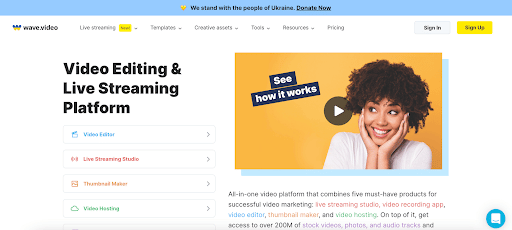
Top Features:
| Auto-captions with customizable styles | Customizable video layouts |
| AI-powered text-to-video feature | Downloading options |
| Stock video clips, images, and audio tracks | Inbuilt voice-over tool |
| Uploading your own footages | Branded style to ensure consistency |
| Auto-resizing | Video hosting killer features |
| Editing tools | Video streaming features |
| Text editor with animation effects |
Compatibility: The full version of Wave.video is accessible online and works with any browser. The Wave.video Companion mobile app, on the other hand, is accessible in the AppStore.
Pricing: Free version: On its free plan, you may produce up to ten videos and export those in standard definition resolution up to two minutes long. The Wave.video watermark will appear on the videos.
Other plans: Creator $30.00 1 user(s) / month, Business $60.00 1 user(s) / month, and Streamer $20.00 1 user(s) / month
Soapbox by Wistia
What is it: Soapbox is a Chrome extension for recording, editing, sharing, and measuring presentation videos. It simultaneously records your screen and your webcam, allowing you to have a “split screen” view of both you and your screen in your video.
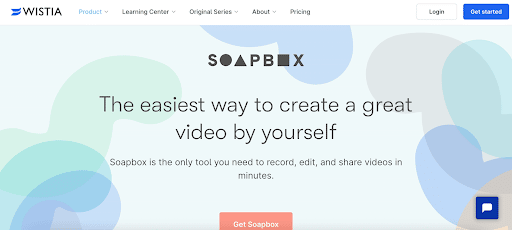
Top Features:
| Create unlimited soapbox videos | Attach link |
| Transition and split-screen views | Download videos |
| Export Soapbox videos to your Wistia account | Track engagement, conversions, and receive notifications |
| Customize | Book meetings |
| Generate thumbnail |
Compatibility: Web. You can access Soapbox by Wistia as a chrome extension.
Pricing: Free; $300 per year to upgrade
On the free plan, you can make a lot of videos, add a link at the end, change the color of your player, and design a unique thumbnail. The $300 per year option includes downloading your movies, measuring interaction, and other advanced capabilities.